Ubuntu Unityで日時の表示形式を変更する
広告
Ubuntu Unity 18.04のデフォルトの日時表示はかなり妙だ。
曜日を表示すると「星期三」ではなく「三」と出てしまう。
広告
なので変更が必要になる。

dconf Editorをインストールする
sudo apt install dconf-editor
dconf-editorを起動して次へ移動する:
com -> canonical -> indicator -> datetime
「custom time format」を開いて次のように変更する:
%A %l:%M %p
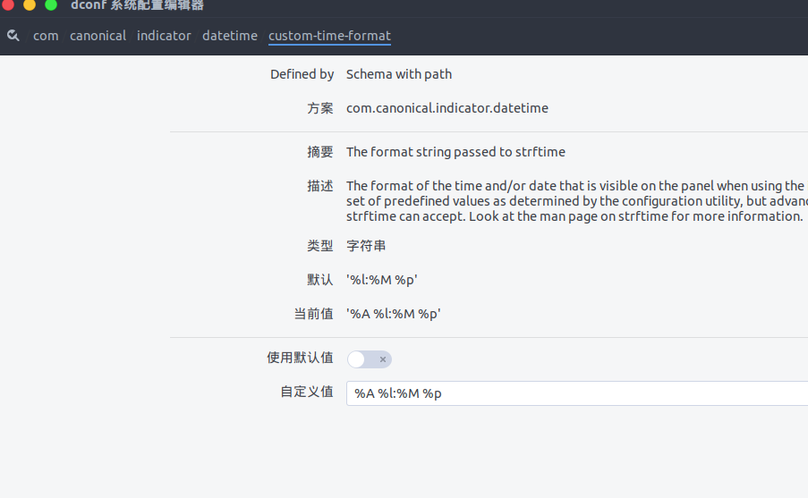
「com -> canonical -> indicator -> datetime -> timeformat」を開いて次を設定する:
custom
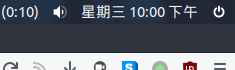
完了!
コメントは中国語の本家サイトで受け付けています。このミラーは閲覧専用です。